

User Interface and User Experience
It is impossible to overestimate the significance of smooth and simple user experiences as the world’s shift to electric vehicles quickens. The design of User Interface and User Experience is crucial to guaranteeing usability, safety, and customer satisfaction in electric vehicles (EVs) and other eMobility systems, such as e-bikes, electric scooters, and autonomous shuttles. We examine the main ideas, advantages, difficulties, and best practices for UI/UX design in eMobility controls in this blog.
Introduction
The implementation of eMobility solutions is changing user expectations and transportation infrastructure. As EVs get smarter and more connected, the interface that users use to interact with these systems becomes more significant. A well-designed user interface (UI/UX) does more than just look good; it makes interactions easier, guarantees accessibility, encourages safety, and boosts confidence in new technologies. This blog explores the fundamentals of UI/UX design for eMobility controls, their crucial role in the EV ecosystem, the difficulties developers encounter, and how careful design increases user adoption and satisfaction.
Comprehending eMobility Systems’ UI and UX
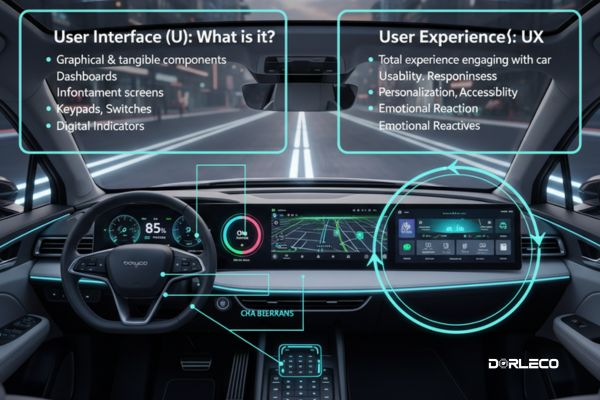
User Interface (UI): What is it?
The graphical and tangible components that users interact with to operate an eMobility system are referred to as the user interface.
Dashboards, infotainment screens, CAN displays, keypads, switches, and digital indicators are all examples of this in electric cars. User Experience (UX): What is it? The total experience a person has when engaging with the car and its digital ecosystem is referred to as the user experience.
Usability, responsiveness, personalization, accessibility, and the emotional reaction users have to the system over time are all components of user experience (UX). In essence, UI refers to what the user sees and touches during the journey, whereas UX is what the user feels and perceives.
Essential User Interface and User Experience Design Concepts for eMobility Controls
1. Clarity and Simplicity
The foundation of good user interface design is simplicity. Clean interfaces with little visual clutter should make use of understandable fonts, logical groupings, and intuitive icons. Crucial functions like navigation, start/stop, and battery status, for instance, need to be simple to find and comprehend at a glance.
Clarity makes the system more approachable for new users, particularly those switching from conventional gasoline-powered automobiles, and helps avoid cognitive overload.
2. Immediate Visual Feedback
The status of the vehicle must be communicated visually. Users can better comprehend events in real time with the use of color changes, animations, or graphical cues. Among the examples are:
- Bars showing the battery level with colored indicators
- Animations of the speedometer during acceleration
- Dimming or brightening of the active buttons
- These dynamic visual signals improve system transparency and user confidence.
3. The Consistency Across Interfaces
It’s critical to keep the layout, color palettes, iconography, and interactions consistent throughout the car and its accompanying smartphone apps. When users switch between screens or platforms, they won’t have to relearn the interface thanks to a unified design language.
4. Inclusivity and Accessibility
People with physical, visual, or hearing limitations can utilize the system efficiently thanks to inclusive design. Important characteristics include:
- Voice feedback and control
- Color palettes with a lot of contrast
- Font sizes that can be changed
- Audio notifications and haptic feedback
- Compatibility with screen readers
- Manufacturers can make eMobility a reality for a wider range of consumers by designing with accessibility in mind
5. Alerts and Notifications
Safety and situational awareness are improved by timely and well-written alerts. Clear, non-intrusive alerts that are ranked according to severity are ideal. Among the categories are
- Warnings about low batteries
- Identifying obstacles or system errors
- Notifications of overspeed
- Activation of regenerative braking
- Depending on the situation and urgency, alerts can be sent by vibrations, aural signals, or visual cues.
6. Individualization and Tailoring
Giving users the option to customize their user interface and user experience enhances functionality and user happiness. Customizable components could consist of:
- Favorite driving modes: Comfort, Sport, and Eco
- Preferences for dashboard layout
- Profiles of lighting and sound
- Shortcuts based on gestures
- Users will experience comfort and a sense of ownership in their digital cockpit thanks to personalization.
7. Loops for User Testing and Feedback
Designers can find pain areas and obtain useful insights by doing ongoing usability testing with actual users. Robustness and dependability in real-world scenarios are ensured by testing under a variety of conditions, including day and night, various user demographics, and weather conditions.
8. Integration Across Platforms
Consistency in UI/UX across platforms is crucial as web dashboards, smartwatches, and mobile apps become a part of the EV ecosystem. Regardless of the interface being used, features like location tracking, climate control, and remote charging must work flawlessly.
9. Improved Iteration and Data Analytics
Analytics and telematics tools can track how users move across the interface. Frequent touchpoints, navigation procedures, and error triggers are examples of information that can direct iterative improvements and feature updates.
UI/UX’s significance in eMobility Control systems
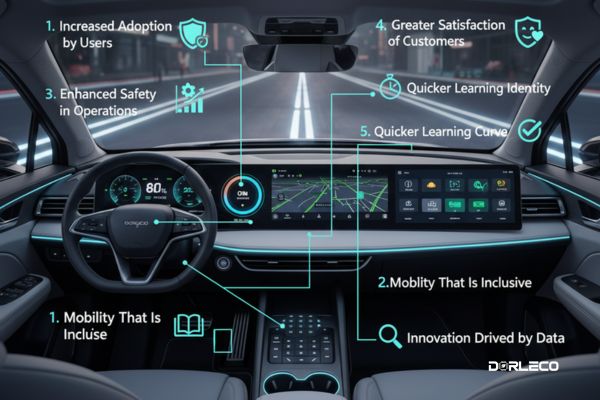
1. Increased Adoption by Users
Adoption of eMobility technologies is facilitated by a seamless, user-friendly interface. Users are more inclined to investigate new features and capabilities as their familiarity increases.
2. Enhanced Safety in Operations
Importantly, effective UI/UX reduces driver distraction. Specifically, controls that are simple to find and use significantly lower the risk of accidents caused by confusing or poorly designed interfaces.
3. Enhanced Productivity
Drivers can operate automobiles more efficiently by selecting the best driving modes, keeping an eye on energy usage, and making better use of regenerative braking when the interface is easy to use.
4. Greater Satisfaction of Customers
Consequently, a seamless user experience promotes favorable associations between the product and the brand. As a result, satisfied users are more likely to become loyal consumers and enthusiastic advocates.
5. Quicker Learning Curve
6. A more robust brand identity
A particular user interface and user experience design distinguishes a brand. For example, NIO’s AI-powered assistants and Tesla’s simple touch interfaces are both ingrained in their brand DNA.
7. Mobility That Is Inclusive
Moreover, in line with inclusive design principles, making accessibility a top priority enables people with impairments to benefit from eMobility. This approach, in turn, aligns with and supports the broader objectives of transportation equity and social inclusion.
8. Innovation Driven by Data
Therefore, by leveraging interaction data analysis, OEMs can make well-informed design and technical decisions, allowing them to continuously improve the overall user experience.
User Interface and User Experience Design Difficulties for eMobility
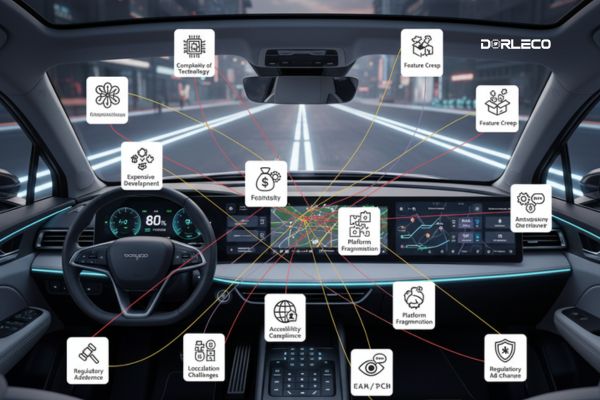
1. Complexity of Technology
Careful UI layering is necessary for infotainment systems, battery management, and advanced driver-assistance systems (ADAS). Displaying too much information might overwhelm customers, while oversimplifying can hide crucial facts.
2. Feature Creep
3. Expensive development
Consequently, high-quality interface design and testing require skilled teams, reliable software tools, and regular validation—all of which contribute to increased development costs.
4. The breakdown of platforms
5. Compliance with Accessibility
Additionally, designing for individuals with different physical and cognitive capacities requires more time, extensive testing, and greater technical resources to ensure accessibility and usability for all users.
6. Placement Situations
Moreover, different languages, cultural conventions, measuring systems, and regulatory constraints all require the UI/UX to adapt accordingly. As a result, testing and design processes become significantly more complex and challenging.
7. Opposition to Change
Compared to conventional analog systems, conservative drivers could find software-based buttons or digital dashboards less user-friendly. UX needs to find a balance between innovation and familiarity.
8. Adherence to Regulations
User interface and user experience designs must meet legal and safety requirements, such as ISO 26262 for functional safety and ADA (Americans with Disabilities Act) rules for accessibility.
User Interface and User Experience Design Best Practices for eMobility Controls
- Start by conducting user research to learn about the target demographic’s preferences, limits, and behaviour.
- Adopt a minimalist mindset: Less is more. Only the most important controls should remain on the main screens.
- Design for Context: Take into account usage scenarios like shared mobility, long-distance travel, and urban commuting.
- Make responsiveness a top priority by making sure that interactions have low latency and that screens load quickly.
- Adopt Safety by Design: Steer clear of situations that call for extended focus or intricate multitasking when operating a motor vehicle.
- To ensure seamless system performance and continuous improvement, turn on OTA (Over-the-Air) updates. This will enable real-time enhancements to the user interface and user experience, as well as deliver timely bug fixes without requiring manual intervention.
- Preserve Visual Hierarchy: Arrange screen components according to their significance and usage patterns.
Conclusion:
The user interface and user experience play a major role in the success of eMobility systems. Every touchpoint of the electric mobility experience is impacted by strong user interface and user experience design, from boosting user pleasure and adoption to guaranteeing safety and inclusivity.
At Dorleco, we are dedicated to creating innovative automotive solutions that put consumer satisfaction, efficiency, and creativity first. Advanced CAN keypads, CAN displays, fast-charging VCUs, and a variety of EV software services are all part of our product line. Every one of our products is made with a thorough understanding of human-centric design concepts, which allows for improved mobility performance and smooth interaction.
Making user-centric user interface and user experience design a top priority as the automotive sector develops will be essential to making eMobility systems safer, more intelligent, and more widely available. Come help shape the future of inclusive, intelligent, and intuitive mobility with us at Dorleco.